01The problem
Devotees doing 11, 21 or 108 rounds around a temple have to keep count by hand, which breaks concentration on prayer. The requirements, written in Telugu, asked for automatic round detection, a temple-specific mantra after each round, pocket and screen-lock counting, smart pauses, and history — and the dev team needed a clickable front end to build the backend against.
02Who it is for
Telugu-speaking devotees (with English as a second language), elders and families sharing a phone, and temple administrators who would publish official routes and mantras.
03Features
- Choose your temple: Shiva, Vishnu, Venkateswara, Lakshmi, Vinayaka, Kumaraswamy, Kanakadurgamma or other
- Live counter to 108 with progress ring, steps, distance and time
- Mantra/namasmarana audio after every completed round (WebAudio bell and chant in the demo)
- Smart Pause when you stop walking, with a 2-minute allowance
- Pocket / screen-lock mode and lock-screen live notification
- False-motion rejection: shaking the phone in place never counts
- Daily sankalpam goal (11/21/27/51/108 or custom) and a private on-device sankalpam note
- 108-completion celebration screen
- History, session detail and day/week/month stats with streak
- Mantra library, player and offline audio packs
- Walking tracker and morning-walk records
- Temple partner console: dashboard, temples, route mapping with beacons, mantra approval, app config
04Pages & screens
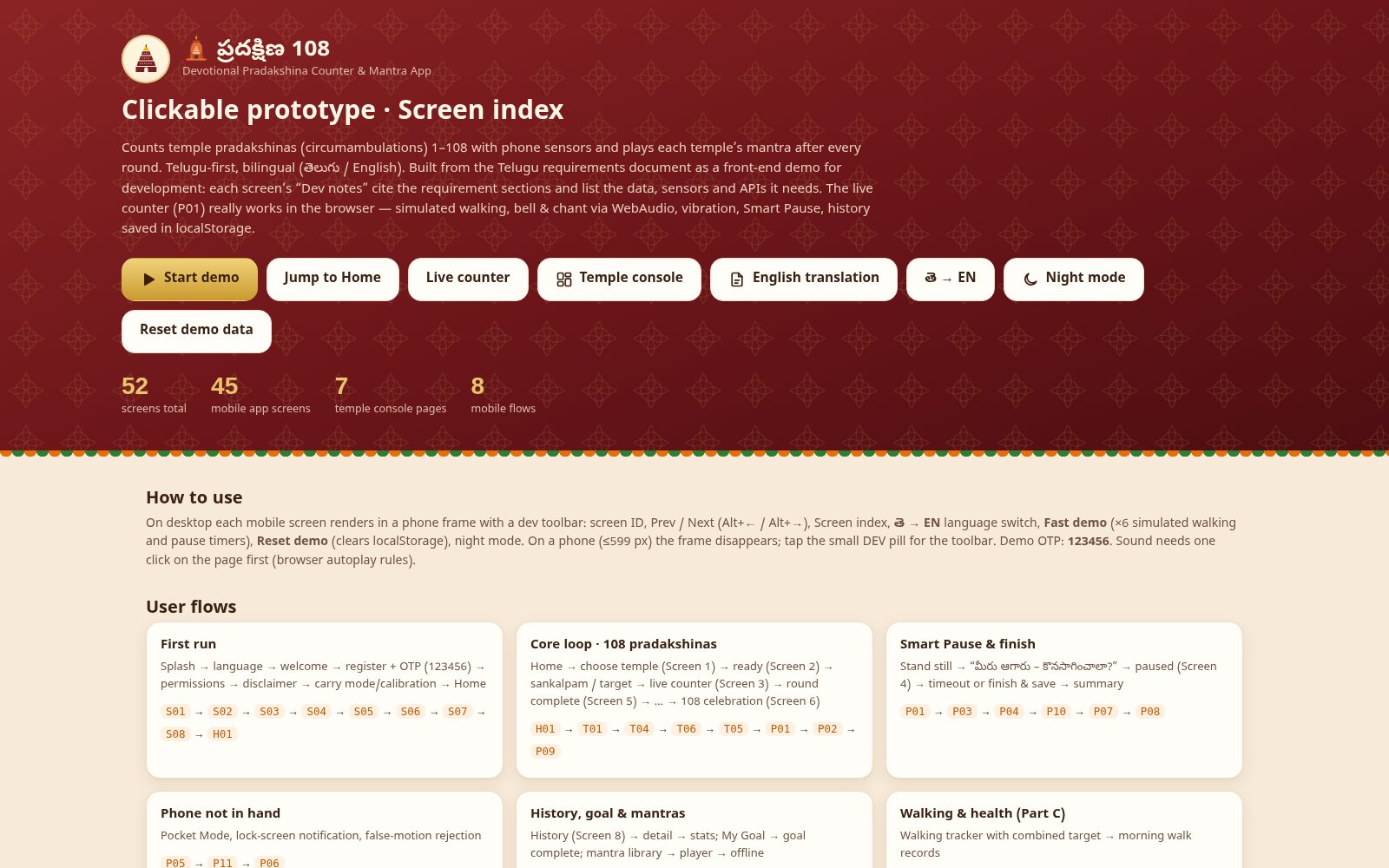
- Onboarding (8): splash, language, welcome, register, OTP, permissions, disclaimer, calibration
- Home & daily goal (3)
- Temple selection & sankalpam (6)
- Active pradakshina session (11): live counter, round complete, smart pause, paused, pocket mode, shake rejected, stop, summary, 108 complete, pause timeout, lock screen
- History & reports (3)
- Mantras & audio (4)
- Walking & health (2)
- Settings (8)
- Temple partner console (7)
- Screen index
05Stack
06How I built it with AI
Srini handed an AI assistant a requirements document written in Telugu with this prompt: These are the requirements for another app, but are in Telugu language. So if you can translate into english, understand the requirements and then create app UI that would be great. I want you do the front end for me, so create all the UIs as static HTML pages and link every screen such that i can give a clickable demo to my dev team for backend development.
The AI first produced a faithful English translation of the requirements (28 sections) and a Developer Understanding document, then generated every screen of the app as linked static HTML from a Python generator, with a working round counter and mantra chime for demos. It reported back: 45 app screens plus a 7-screen temple console, in Telugu and English, all linked and offline,
and flagged one gap — the document had no Kanakadurgamma mantra, so it used a placeholder and asked Srini for the wording.
07Design highlights
Telugu-first typography and copy with a one-tap తె → EN switch on every screen
Every screen carries 'Dev notes' that cite the requirement section and list the data, sensors and APIs it needs — a prototype that doubles as a developer spec
A working counter in the browser: simulated sensor fusion, bell and chant via WebAudio, vibration, Smart Pause and history saved locally
Desktop shows each mobile screen in a phone frame with a dev toolbar (Prev/Next, Fast demo, Reset, night mode); on a phone the frame disappears
Respectful by design: private sankalpam stays on-device, no ads during a pradakshina or mid-mantra, mantra wording flagged for pandit approval
08Gallery
Screens from the working build; click any image to zoom. Names, contacts and figures in the screens are demo content.