01The problem
A personal music collection spread across USB and PC drives has no good way to browse it like a streaming app — folders and file names are all you get, and most players need installing, an account or internet. The goal was a zero-install player that travels with the drive, keeps working offline and copes with Windows changing drive letters.
02Who it is for
People with a personal library of downloaded/ripped songs on a USB drive or PC disks who want to browse and play them comfortably on any computer.
03Features
- One-click start from a USB drive (.bat for Windows, .command for Mac)
- Scans multiple folders and subfolders; reads only, never modifies files
- Reads tags: title, artist, album, year, genre, track/disc, composer, embedded art, bitrate
- Fills missing cover art, year, genre and artist photos from iTunes Search and Deezer (no API keys)
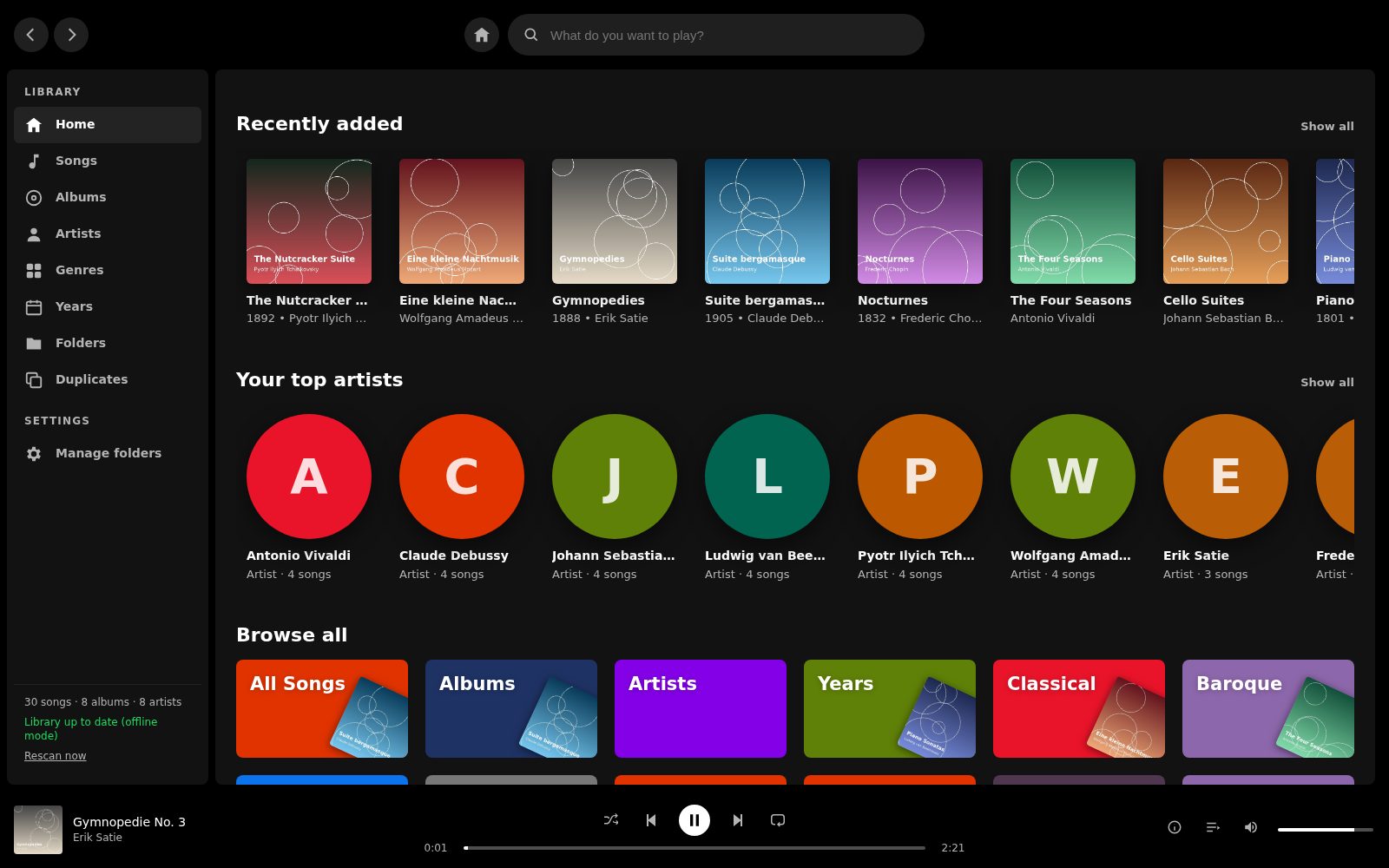
- Browse by albums, artists, genres, years/decades, folders and songs
- Instant search with top result, songs and albums
- Player bar with shuffle, repeat, queue, seek and volume
- Duplicates view
- Survives changing USB drive letters; unplugged drives' songs hide and return automatically
- Incremental rescan that only re-reads changed files
- Online lookups can be switched off for fully offline use
- On-the-fly ffmpeg conversion for WMA/AIFF/APE; phone access on the same Wi-Fi
04Pages & screens
- Home (recently added, top artists, browse all)
- Songs
- Albums
- Album detail
- Artists
- Genres
- Years / decades
- Folders
- Duplicates
- Search results
- Manage folders (settings)
05Stack
06How I built it with AI
Built with an AI coding assistant as a single self-contained Python script (~1,700 lines) that serves its own browser UI, plus a plain-language README and a one-page 'Music Dashboard on a USB Drive' guide written for non-technical users. Srini set the constraints — portable, no installs or internet required, read-only on the music files, works across PCs — and the AI implemented them. No prompt file was supplied.
07Design highlights
Zero-install portability: bundled tag library and optional embeddable Python mean the whole app runs from the USB folder
Read-only by design: everything learned (covers, metadata) is cached in a data folder next to the script, so it travels with the drive
USB-aware library: folders are found again when the drive letter changes, and songs from unplugged drives hide then reappear
Familiar streaming-app UI (dark theme, sidebar library, bottom player bar) applied to local files
Privacy switch to turn off all online lookups
08Gallery
Screens from the working build; click any image to zoom. Names, contacts and figures in the screens are demo content.