01The problem
Family photos end up scattered across old laptops, camera backups and external drives with names like img004637.jpg, and the easy fix is handing everything to a cloud service. Home Photos adds search, albums, family logins, share links, duplicate finding and TV slideshows on top of the existing folders, while the files stay on the family's own machine.
02Who it is for
Households that keep photos on their own PCs, drives or a NAS and want them easy to browse and share with family, without a cloud subscription.
03Features
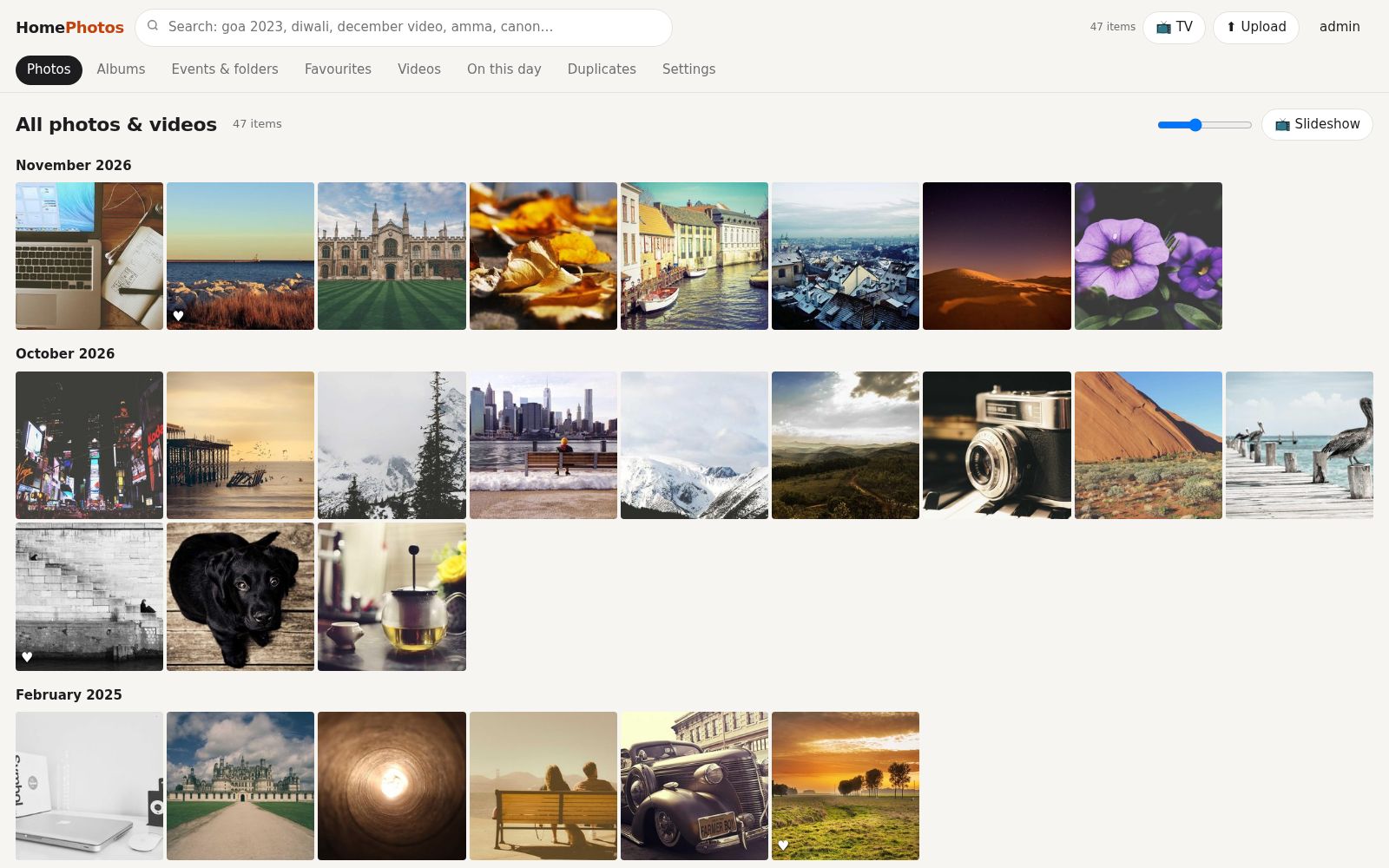
- Timeline grouped by month with adjustable thumbnail size
- One search box for years, months, folders, cameras, captions and tags
- Real dates from EXIF, file name or file date, with manual Fix date
- Every existing folder works as an automatic 'event' album
- Albums, favourites, captions and searchable tags
- Duplicate finder: exact copies collapsed, lower-quality copies suggested, Duplicates Bin with Undo
- Family logins: Admin, Member and View-only roles
- Share links with expiry, password and guest uploads
- TV slideshow at /tv with music, shuffle and TV-remote arrow keys
- Phone remote and party mode QR code so guests' photos join the slideshow
- Phone uploads that skip copies already in the library
- Runs on Windows, Mac/Linux or a NAS via Docker
04Pages & screens
- Sign in / first-run setup
- Photos timeline
- Albums
- Events & folders
- Favourites, Videos and On this day tabs
- Photo viewer with Info panel (caption, tags, Fix date)
- Duplicates and Duplicates Bin
- Upload
- Settings (family logins, scan, TV address and QR)
- TV slideshow (/tv)
- Phone remote (/remote)
- Shared album page (/s/…)
05Stack
06How I built it with AI
Built by Srini with AI coding tools from a plain-language brief: the app, the one-click start scripts for Windows and Mac/Linux, a Docker setup for NAS boxes, a duplicate-detection module, a file-organizing helper (tools/organize.py) and a 16-page user guide written for non-technical family members. No prompt file was included with this project.
07Design highlights
Read-only by design: originals are never edited, renamed or deleted; duplicates are only moved aside on request, with Undo
Existing folders double as automatic event albums, so a library is useful the moment the first scan finishes
The TV is a first-class screen: a big-tile picker for the remote's arrow keys, plus a phone remote and party-mode QR uploads
Roles sized for real households: Member to organise, View-only for elders and kids
Search phrased the way families talk ('goa 2023', 'diwali', 'december video')
08Gallery
Screens from the working build; click any image to zoom. Names, contacts and figures in the screens are demo content.